Example 2: Porosity Reconstruction
This is the second production example and the current canonical LAS-backed packet example in the repository.
It lives in examples/production/forge16b_porosity_example/ and rebuilds an
open-hole report packet around one public LAS source:
workspace/data/30-23a-3 8117_d.las
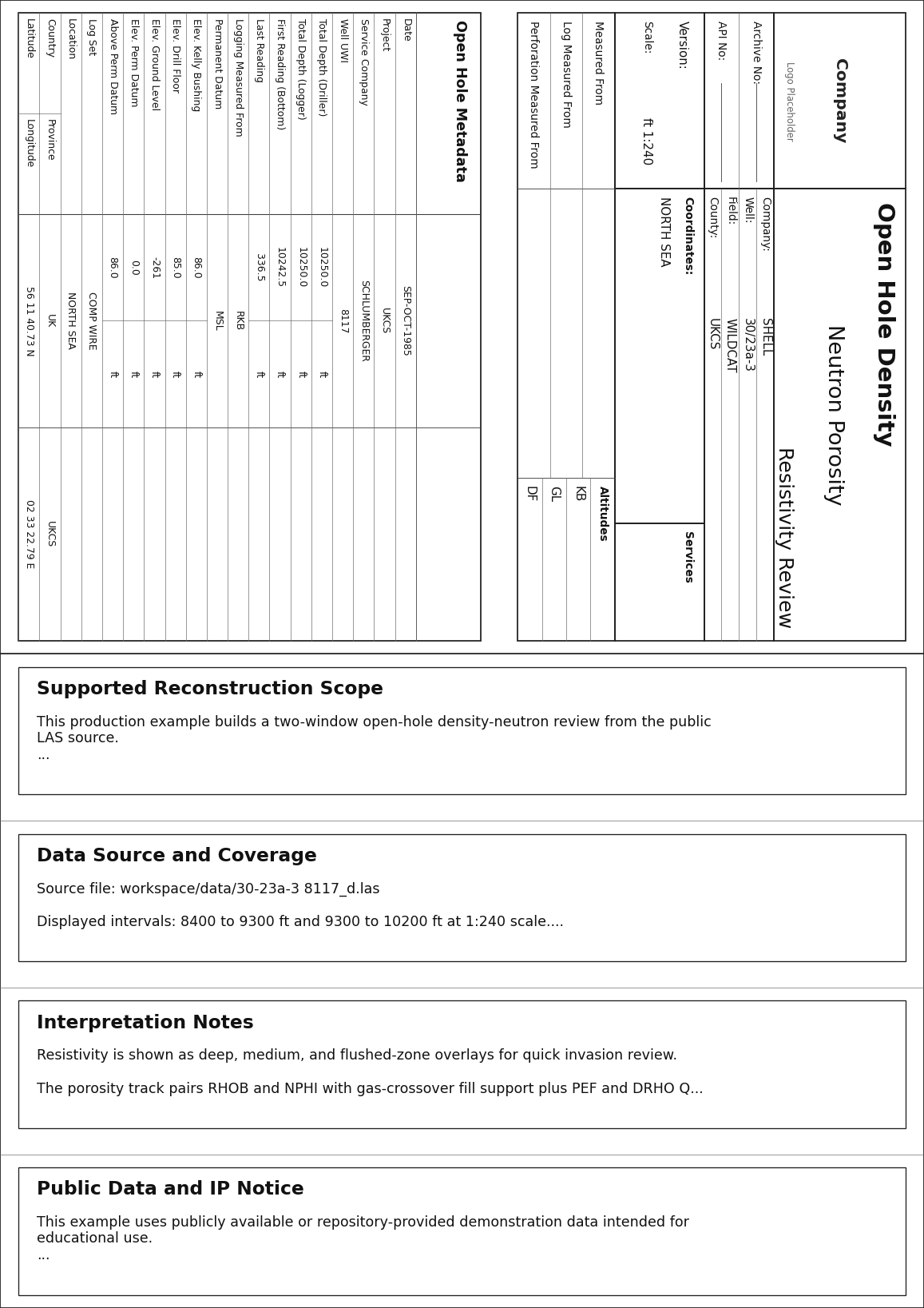
Unlike Example 1, this package is not a page-by-page reconstruction of a reference vendor PDF. It demonstrates a different production task: keep a working report template, replace the source data cleanly, and let the LAS well header populate the packet metadata.
The generated pages are independent wellplot renderings. They preserve the
source-backed well metadata and curve relationships needed for the example
without claiming to be vendor-authored originals.
Use this example when you want one coherent packet that includes:
- a heading page with LAS-backed metadata
- a
remarksblock on the first page - two open-hole review windows from the same LAS file
- resistivity overlays for deep, medium, and flushed-zone comparison
- density-neutron crossover fill plus PEF and DRHO QC curves
- a compact tail page
What the rendered packet looks like
The packet is built from two layers:
base.template.yaml- shared page geometry, report styling, heading definitions, and tail toggle
full_reconstruction.log.yaml- packet-specific remarks, log sections, data sources, and curve bindings
That split is the same production pattern used by Example 1. Packet-level layout decisions belong in the template. Source-specific scope and curve logic belong in the reconstruction file.
Package layout
The example package currently contains:
examples/production/forge16b_porosity_example/README.md- package overview, intended scope, and render commands
examples/production/forge16b_porosity_example/base.template.yaml- shared render defaults, report styling, and LAS-backed heading fields
examples/production/forge16b_porosity_example/full_reconstruction.log.yaml- the full packet reconstruction
examples/production/forge16b_porosity_example/data-notes.md- source-file notes, header metadata summary, and curve inventory
1. Start with the LAS-backed template
base.template.yaml holds the packet-level decisions that should not vary
between the upper and lower review windows.
document:
  depth_range:
    - 8400
    - 10200
  page:
    size: A4
    orientation: portrait
    continuous: false
    bottom_track_header_enabled: true
    track_gap_mm: 0
    track_header_height_mm: 30
  depth:
    unit: ft
    scale: 240
  layout:
    heading:
      enabled: true
      provider_name: Company
      general_fields:
        - key: company
          label: Company
          source_key: COMP
        - key: well
          label: Well
          source_key: WELL
        - key: field
          label: Field
          source_key: FLD
      detail:
        kind: open_hole
        title: Open Hole Metadata
        rows: ...
    tail:
      enabled: true
This file establishes:
- the page format and depth scale convention
- the dedicated per-track header band
- the fact that heading fields resolve from LAS header keys instead of fixed literal values
- the standardized
open_holedetail table - the fact that the packet ends with a tail page
That LAS-backed source_key pattern is the main thing to copy from this
example when you want a report packet to follow the input file metadata instead
of hard-coded report values.
2. Use remarks for scope, provenance, and IP boundaries
remarks belongs in full_reconstruction.log.yaml, because it explains the
supported packet and the replacement source file rather than the reusable
template.
document:
  layout:
    remarks:
      - title: Supported Reconstruction Scope
        lines:
          - This production example builds a two-window open-hole density-neutron review from the public LAS source.
          - Heading and report metadata are resolved directly from the LAS well header for repeatable packet generation.
          - Only curves present in the source file are plotted; vendor-only packet pages are intentionally omitted.
      - title: Public Data and IP Notice
        lines:
          - This example uses publicly available or repository-provided demonstration data intended for educational use.
          - Rendered layouts are independent reproductions generated by wellplot, not vendor-authored originals or official service-company deliverables.
          - Original trademarks and service names remain the property of their respective owners.
          - Confirm data provenance and redistribution rights before reusing outputs outside this repository.
Use remarks for:
- supported reconstruction scope
- source-file coverage notes
- interpretation framing for the packet
- public-data and IP notices that apply to the rendered output
Keep packet-wide narrative here. Do not try to encode track-specific behavior in the remarks block.
3. Reuse one LAS source in two review windows
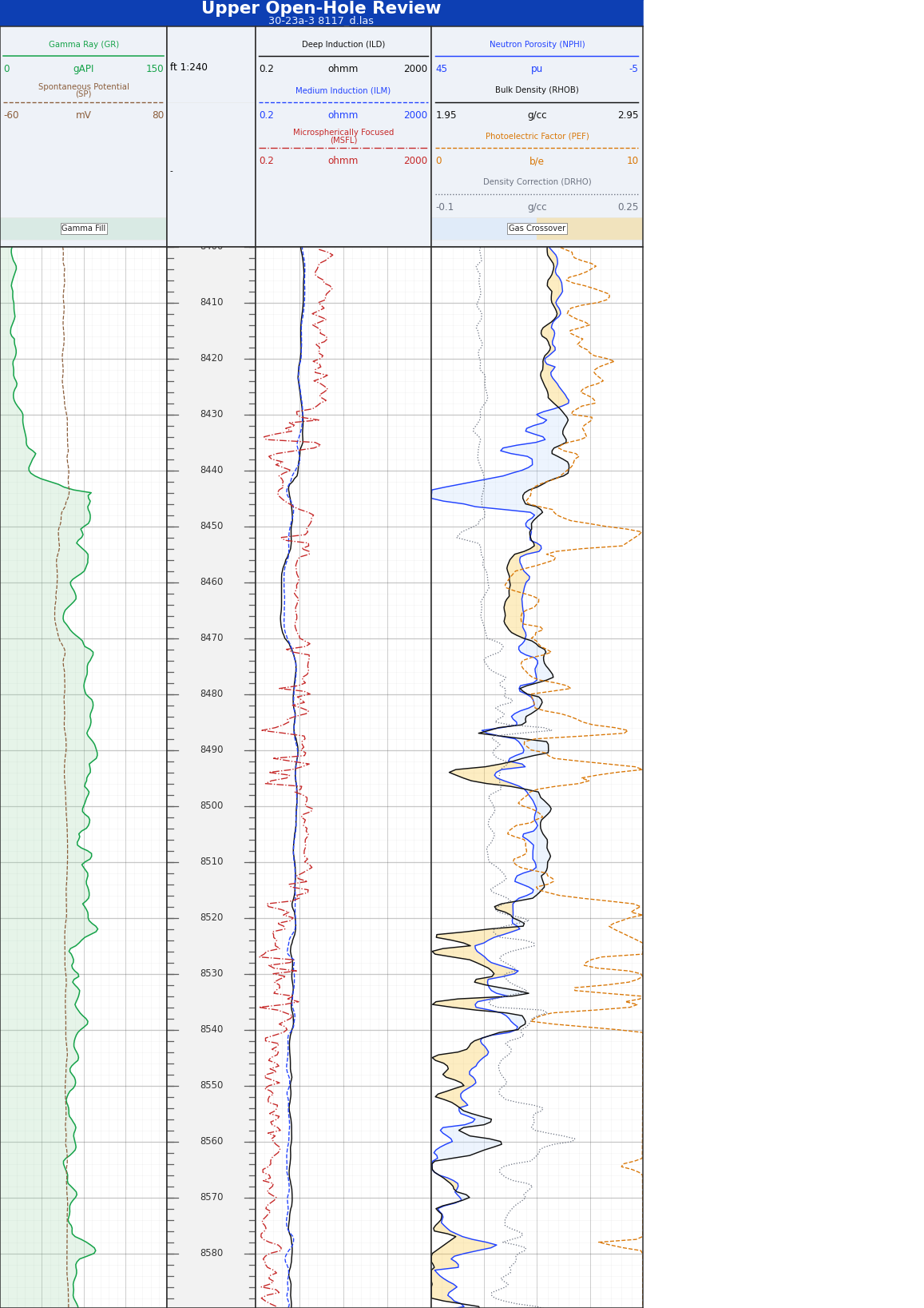
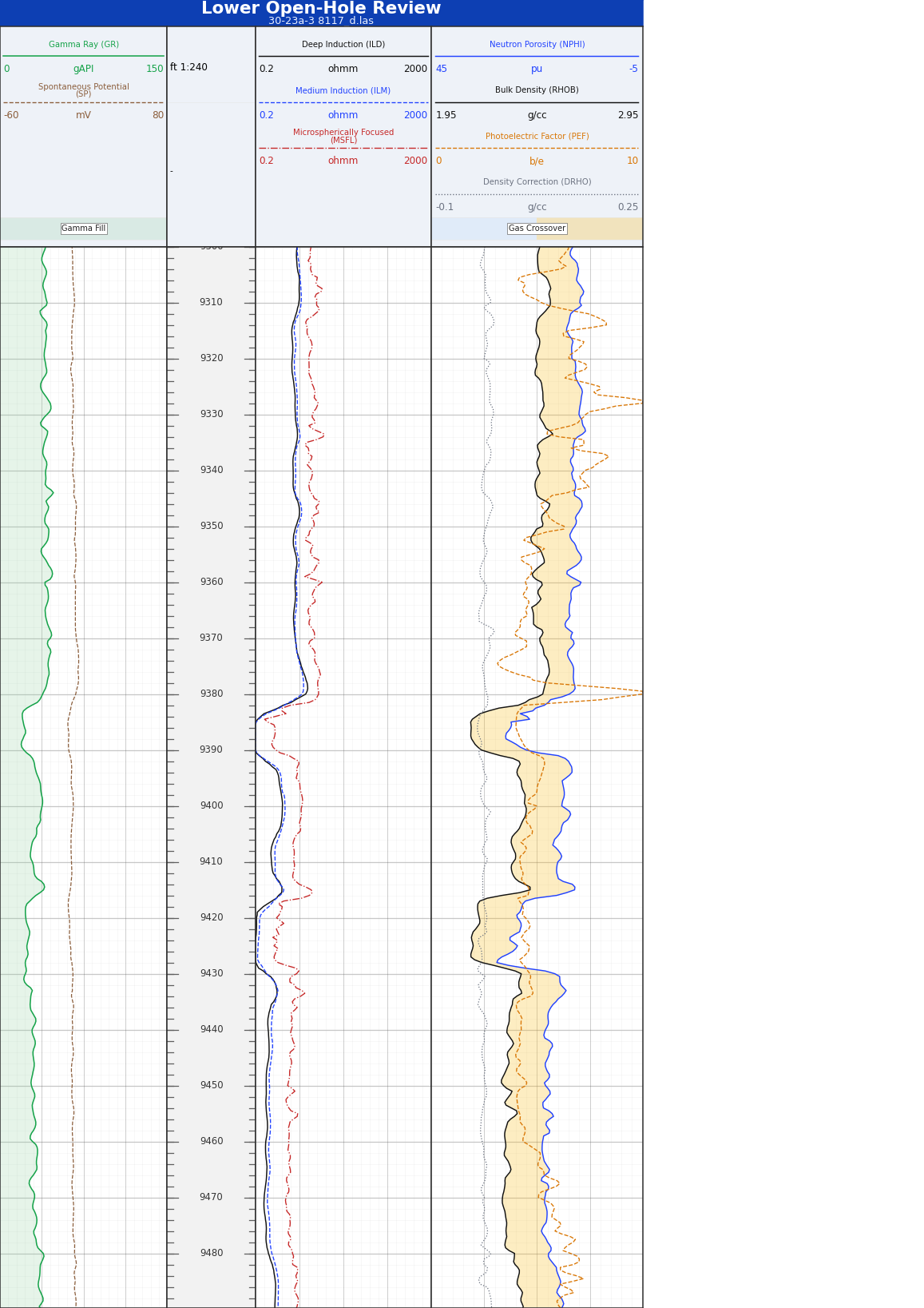
The full reconstruction defines two sections:
upper_reviewlower_review
Each section points at the same LAS file but renders a different depth window.
document:
  layout:
    log_sections:
      - id: upper_review
        title: Upper Open-Hole Review
        subtitle: 30-23a-3 8117_d.las
        depth_range:
          - 8400
          - 9300
        data:
          source_path: "../../../workspace/data/30-23a-3 8117_d.las"
          source_format: las

      - id: lower_review
        title: Lower Open-Hole Review
        subtitle: 30-23a-3 8117_d.las
        depth_range:
          - 9300
          - 10200
        data:
          source_path: "../../../workspace/data/30-23a-3 8117_d.las"
          source_format: las
This is the production pattern to copy when one source file supports multiple review intervals:
- keep one stable track layout contract
- vary the section title and
depth_range - reuse the same source path cleanly instead of duplicating data files
As in Example 1, the depth track remains the layout-defining reference axis
for each section.
4. Bind resistivity overlays and density-neutron crossover fill
The bindings layer is where the replacement LAS curves become a readable petrophysical packet.
This example mixes:
- GR and SP in the left overview track
- deep, medium, and flushed-zone resistivity overlays in one log-scale track
- NPHI and RHOB in one porosity track with a crossover fill
- PEF and DRHO as supporting QC curves in the same porosity track
bindings:
  channels:
    - section: upper_review
      channel: ILD
      track_id: resistivity
      kind: curve
      label: Deep Induction (ILD)
      scale:
        kind: log
        min: 0.2
        max: 2000

    - section: upper_review
      channel: ILM
      track_id: resistivity
      kind: curve
      label: Medium Induction (ILM)

    - section: upper_review
      channel: NPHI
      track_id: porosity
      kind: curve
      id: nphi_overlay
      label: Neutron Porosity (NPHI)
      scale:
        kind: linear
        min: -5
        max: 45
        reverse: true
      fill:
        kind: between_instances
        other_element_id: rhob_overlay
        label: Gas Crossover
        crossover:
          enabled: true
          left_color: "#bfdbfe"
          right_color: "#fbbf24"
Two decisions are worth copying directly:
- the resistivity track keeps ILD, ILM, and MSFL on the same log scale so the invasion relationship reads immediately
- the porosity track uses
between_instancesbetweenNPHIandRHOB, with crossover colors enabled, instead of a simple density-baseline fill
That second point is the distinctive part of this example. It is designed to show density-neutron crossover behavior or gas response, while PEF and DRHO remain in the same track as companion QC curves.
5. Finish with the tail
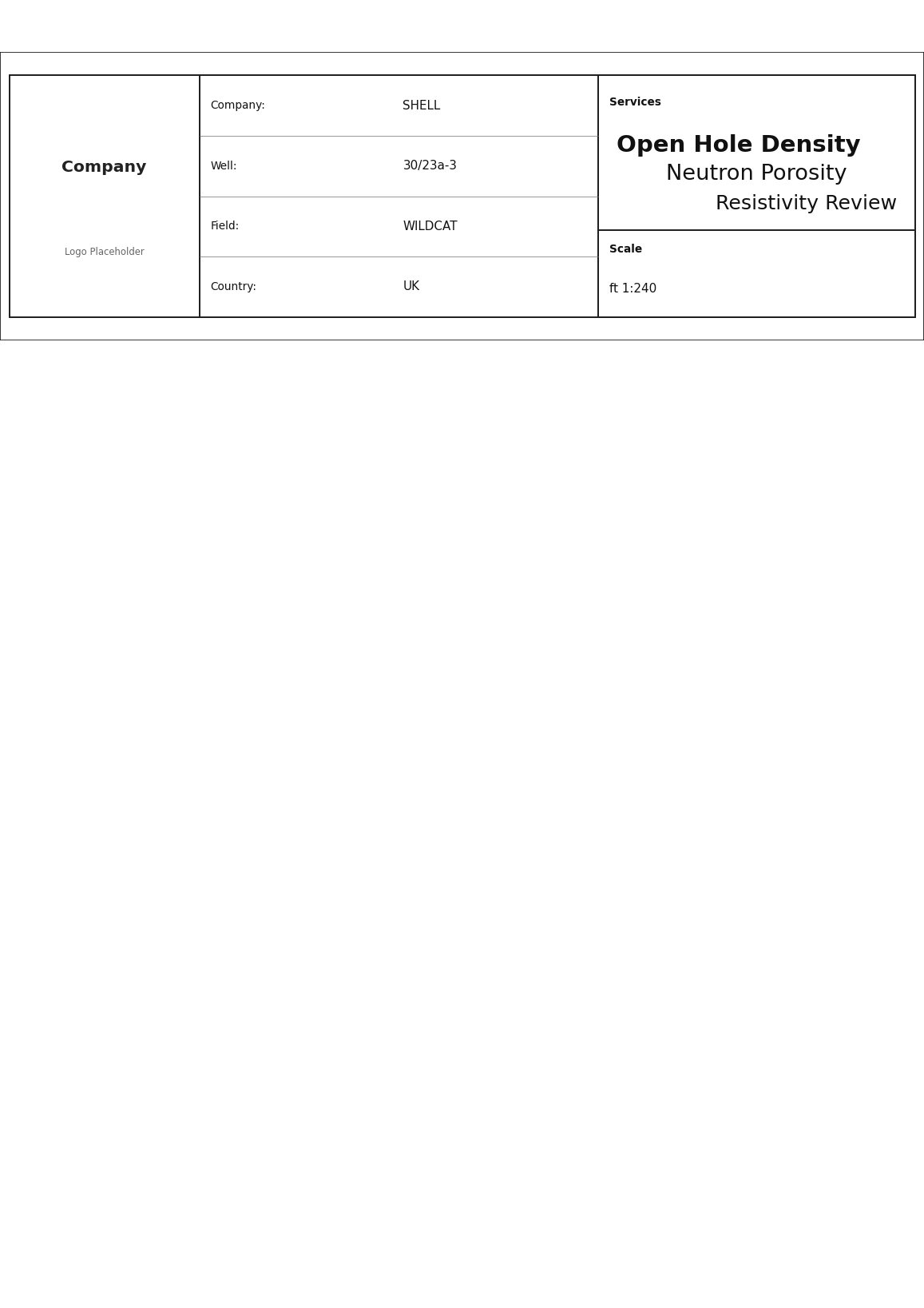
The tail is enabled in the shared template, so the packet closes with a compact summary built from the same report data model as the heading.
document:
  layout:
    tail:
      enabled: true
That is enough because the heading and tail share the same report packet data. See Report Pages for the full report model.
Validate and render
From the repository root:
wellplot validate \
  examples/production/forge16b_porosity_example/full_reconstruction.log.yaml

wellplot render \
  examples/production/forge16b_porosity_example/full_reconstruction.log.yaml
Expected render target:
workspace/renders/30-23a-3_8117_porosity_reconstruction.pdf
Adapt this example safely
When you copy this example for your own packet, use this order:
- Update
base.template.yaml - heading
source_keymappings, service titles, detail-table rows, and packet styling - Update
full_reconstruction.log.yaml - remarks, section titles, source path, and depth windows
- Keep the layout contract stable
- one
referencedepth track withdefine_layout: true - Adjust bindings only after the tracks are settled
- resistivity overlays, porosity curves, fills, and QC channels
- Validate before render
- catch schema problems before spending time on visual tuning
Why this is example 2
Example 1 is still the strongest reference for full packet composition across a reference-driven CBL/VDL report. Example 2 is the narrower template-retention reference for open-hole LAS workflows.
Use Example 2 when the real task is:
- keep a report packet shape that already works
- swap in a new public LAS source
- let the LAS header repopulate the packet metadata
- preserve meaningful resistivity and porosity interpretation cues